
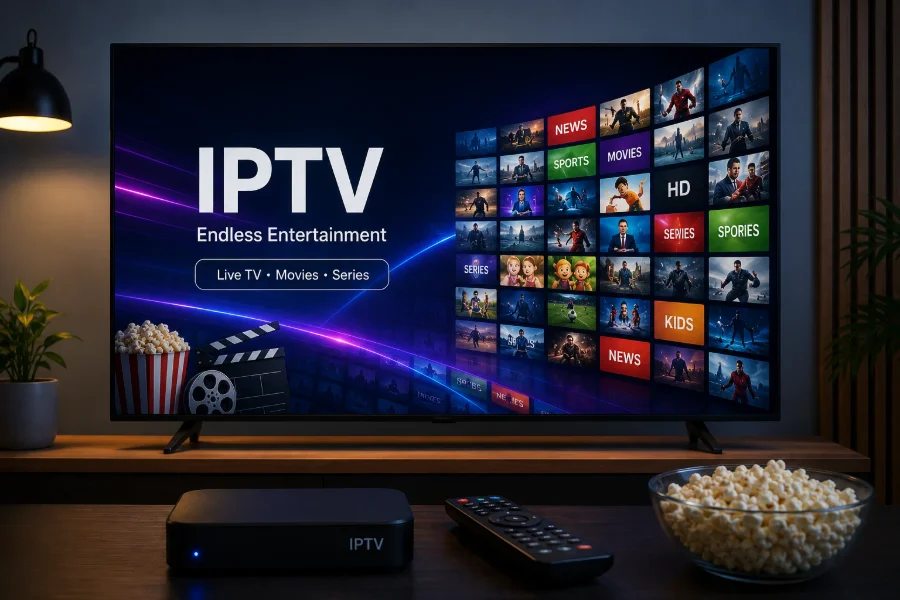
How IPTV actually works
Traditional television broadcasts the same signal to everybody at once. Your aerial or dish catches it, your set-top box decodes it, and you tune to whichever channel you want. Every channel is being sent to you all the time; you simply pick one.
IPTV inverts that. Nothing is sent until you ask for it. When you select a channel, your player requests that specific stream from a server, and the server sends it to your device over the same connection you use for everything else. It is the difference between a fire hose you tap into and a tap you turn on.
Three consequences follow from that, and they explain almost everything else about IPTV:
- Your internet quality matters more than your aerial. There is no signal strength to worry about, only bandwidth and stability.
- Geography stops mattering. A stream is just data, so where the channel originates is largely irrelevant.
- The device does the work. Any device that can play video and reach the internet can, in principle, show television.
The three things you need
Every IPTV setup, regardless of provider, comes down to the same three components. Understanding them makes the rest of this straightforward.
| Component | What it is | Example |
|---|---|---|
| A subscription | Login details that grant access to the streams | An Xtream Codes login or an M3U URL |
| A player | The app that turns those details into channels on screen | IPTV Smarters Pro, TiviMate, IBO Player |
| A device | The hardware the player runs on | Smart TV, Firestick, phone, laptop |
The subscription is not an app you download. It is access. The player is separate, and you choose it — this is the part that surprises people coming from cable, where the box and the service arrive together. Our comparison of IPTV players covers how to pick one.
IPTV is not the same as Netflix or Disney+
Both send video over the internet, so the confusion is fair. The differences that matter:
- Live channels. Streaming services are almost entirely on-demand catalogues. IPTV centres on live television — channels running to a schedule, exactly like broadcast.
- A programme guide. Because it is scheduled, IPTV has an EPG: an on-screen listing of what is on now and next.
- Breadth over depth. A streaming service owns a curated catalogue. IPTV aggregates a very wide range of channels rather than producing anything.
- You choose the app. Netflix has one official app. IPTV works through whichever compatible player you prefer.
Most IPTV services, including ours, also carry an on-demand library of films and series alongside the live channels — but live TV is the heart of it. The full comparison against cable and satellite goes deeper.
What you need from your internet connection
This is the single biggest determinant of whether IPTV feels good or frustrating. As a working guide:
- Around 15 Mbps is comfortable for HD.
- Around 25 Mbps or more for 4K.
- Stability beats speed. A steady 20 Mbps outperforms a 200 Mbps line that dips whenever someone else in the house streams.
A wired Ethernet connection is meaningfully better than Wi-Fi for televisions, particularly for fast-moving sport. We cover the numbers properly in what internet speed you need for IPTV.
The honest caveats
Anyone telling you IPTV is flawless is selling something. The real trade-offs:
- Your connection becomes a single point of failure. When the internet goes down, so does the television.
- Line-ups change. Sources shift, and no honest provider will guarantee a specific channel will exist on a given date.
- Quality depends on the source. No service can improve a channel beyond the quality it is broadcast at.
- Setup is on you. There is no engineer visit. It is usually ten minutes, but it is ten minutes you do yourself.
- Legality varies by country. What you may lawfully watch is your responsibility, and it differs depending on where you live.
Is IPTV right for you?
It suits you if you want a wide range of live channels — particularly international or sports channels — on hardware you already own, without a multi-year contract. It suits you less if your internet is unreliable, or if you subscribe for one specific show and nothing else.
The only way to know for certain is to test it on your own connection and your own television. That is exactly why we offer a 24-hour trial rather than asking you to take our word for it. If you want the commercial detail, see IPTV subscription plans; if you want to know how installation works first, read how to set up IPTV.
Frequently asked questions
What does IPTV stand for?
IPTV stands for Internet Protocol Television. It means television delivered over an internet connection rather than through an aerial, satellite dish or cable line.
Do I need a special box for IPTV?
No. IPTV runs on hardware you probably already own — a Smart TV, a Firestick, an Android TV box, a phone, a tablet or a computer. A dedicated box is only useful if your television is too old to install apps.
Is IPTV the same as streaming?
They overlap but are not the same. Streaming services such as Netflix are mostly on-demand catalogues. IPTV centres on live television channels running to a schedule, with an on-screen programme guide, usually alongside an on-demand library.
What internet speed do I need for IPTV?
Roughly 15 Mbps for HD and 25 Mbps or more for 4K. Stability matters more than peak speed, so a wired connection is preferable to Wi-Fi where possible.
Related articles
Ready to try it?
ManisIPTV plans start at €20 for one month and include the full channel line-up, the on-demand library and the 7-day guide, with setup help for your exact device. If you would rather see it working first, ask for the 24-hour free trial.